Your LifeLabs results are already waiting. Here's how to bring them into ProMed
From MyCareCompass to your ProMed health overview in under two minutes.
· By ProMed AI · 2 min watch
Your LifeLabs results landed in MyCareCompass: a list of numbers, reference ranges, and maybe a flag you were not expecting. ProMed closes the gap between having results and understanding what they mean for your health.
You got your bloodwork done. Now what?
Once your results are uploaded, ProMed reads your biomarkers in context: your trends, lifestyle, and goals. It surfaces what is worth paying attention to, with physician-backed interpretation built for action.
The upload takes under two minutes. Export and upload one report at a time so each file has one clear report date. Follow the video above or use the screenshots below.
Export one MyCareCompass report at a time
Step-by-step: MyCareCompass to ProMed
Follow along using screenshots taken directly from both platforms.
Step 1 of 7
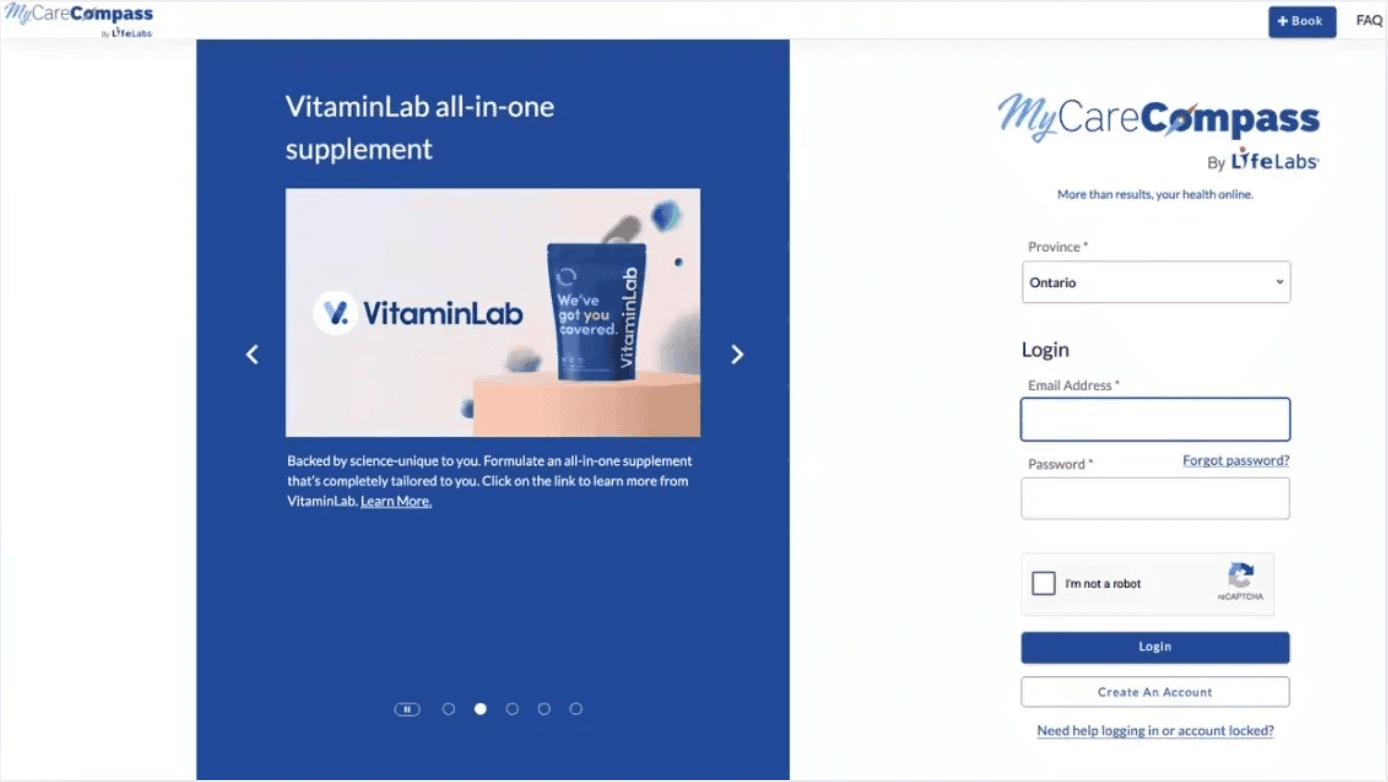
Log in to your MyCareCompass account
Head to mycarecompass.ca and sign in with your LifeLabs credentials. If you have not registered yet, you will need your health card and the email address used at your lab visit.
Step 2 of 7
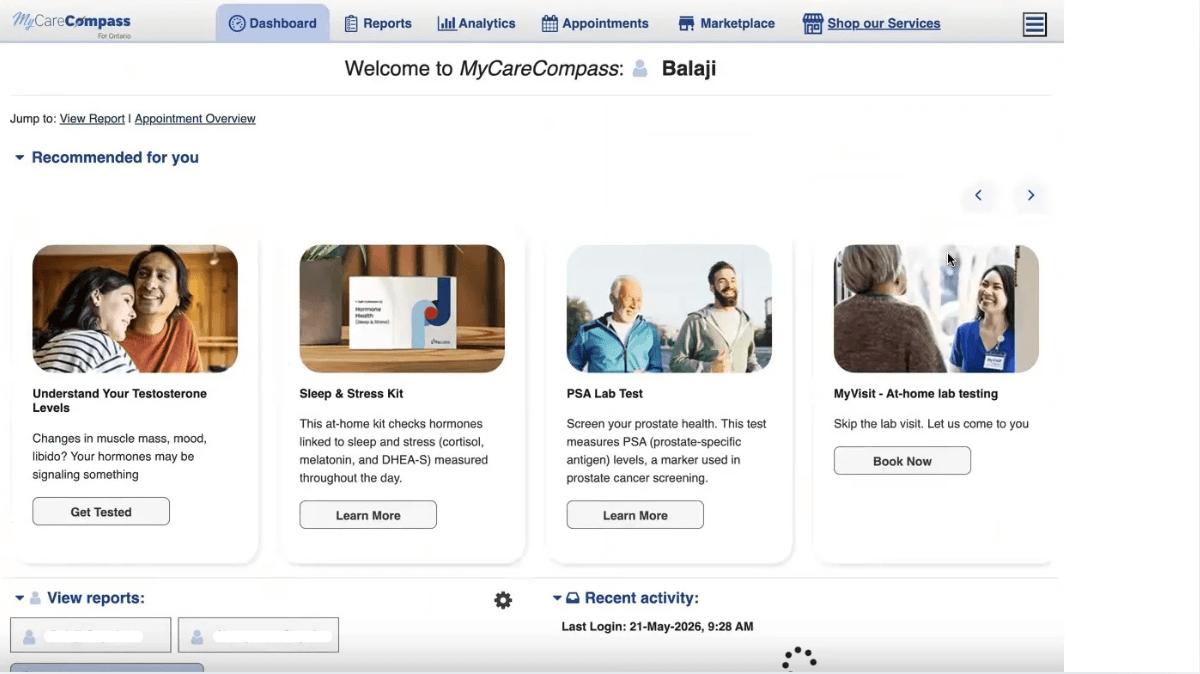
Go to your dashboard and click "View Report"
Once you are logged in, your dashboard shows all available lab results. Find the most recent completed report and click View Report to open that single report. Do not select or combine multiple report dates.
Step 3 of 7
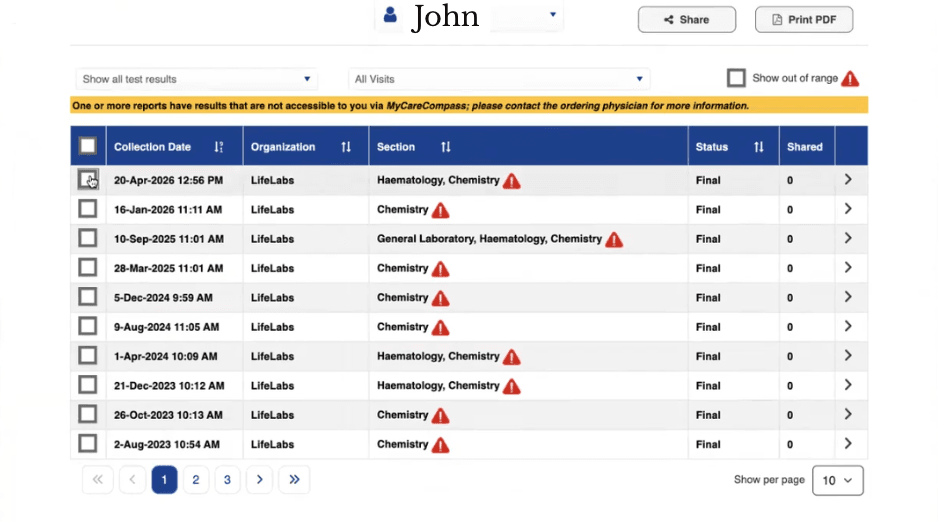
Select your report and click "Print PDF" to save it
With your report open, look for the Print PDF button in the top-right corner. Click it and save only the open report to your device. Export one report date at a time. If MyCareCompass condenses multiple reports into one PDF, ProMed cannot reliably process it.
Step 4 of 7
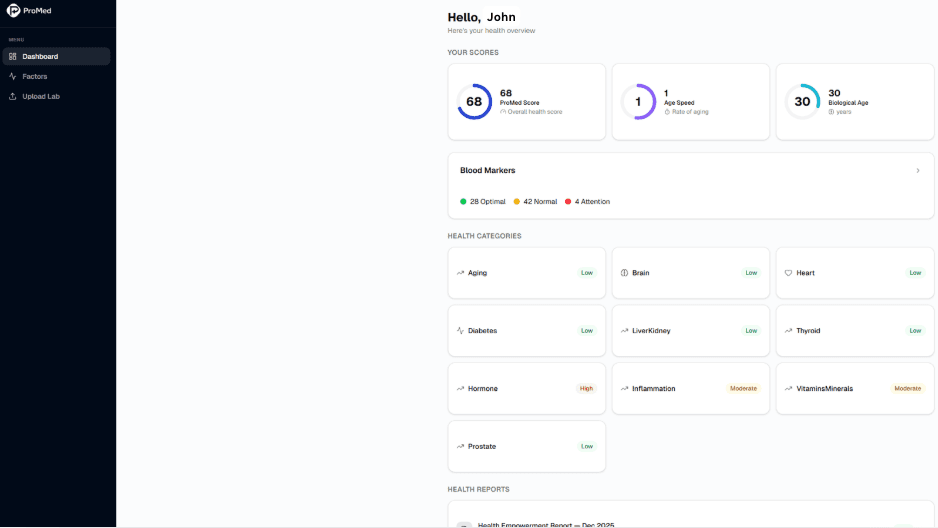
Open ProMed: your health overview is ready
Log into your ProMed account at promedai.ca. Your health overview dashboard is waiting. This is where your biomarker trends, insights, and physician-backed interpretations will live once your report is uploaded.
Step 5 of 7
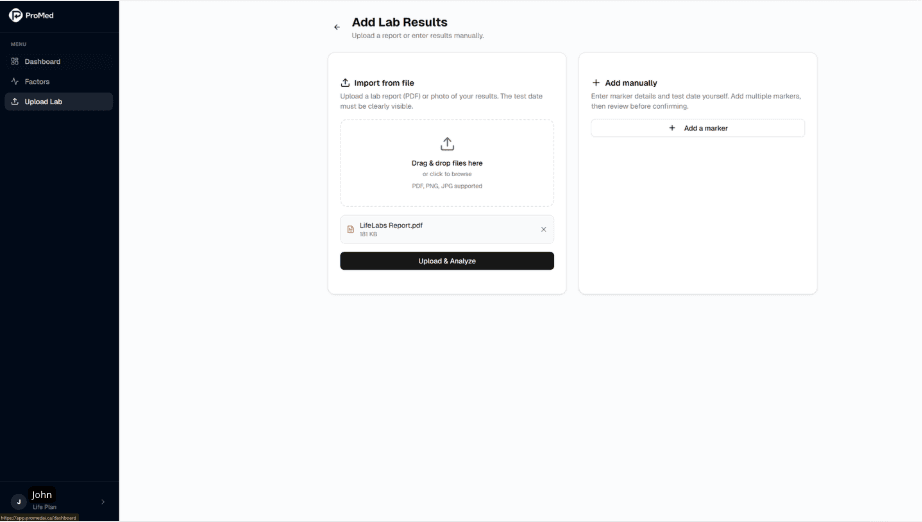
Go to "Upload Lab" and drag in your PDF
In your ProMed dashboard, click Upload Lab. Drag and drop the single-report PDF you saved from MyCareCompass directly into the upload window, or click to browse your files. Our AI reads the report automatically and extracts your biomarker values.
Please upload one document at a time. ProMed stamps the report date from the file, so a PDF with more than one report date can cause tracking issues.
Step 6 of 7
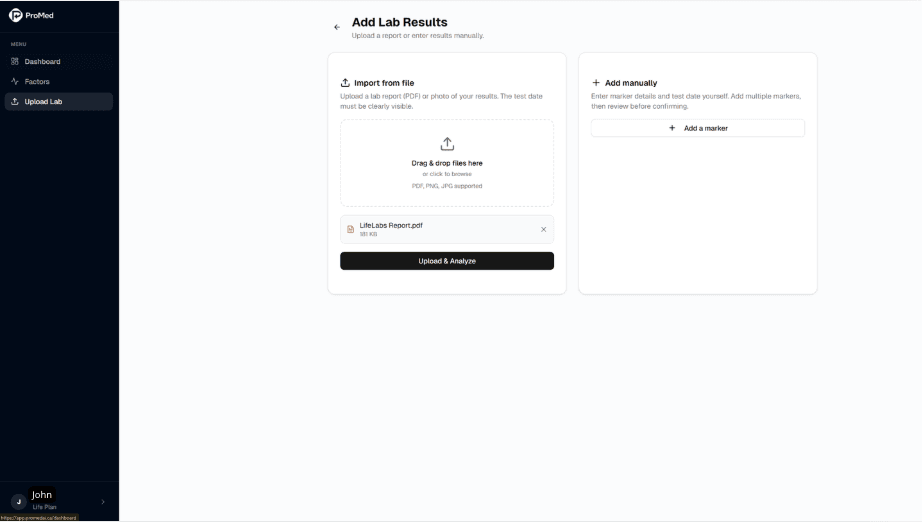
Enter markers manually if needed
Prefer to enter results by hand? No problem. Use the Add manually option to type in each biomarker value directly. This works for any lab format, not just LifeLabs, so you can bring in results from any provider.
Step 7 of 7
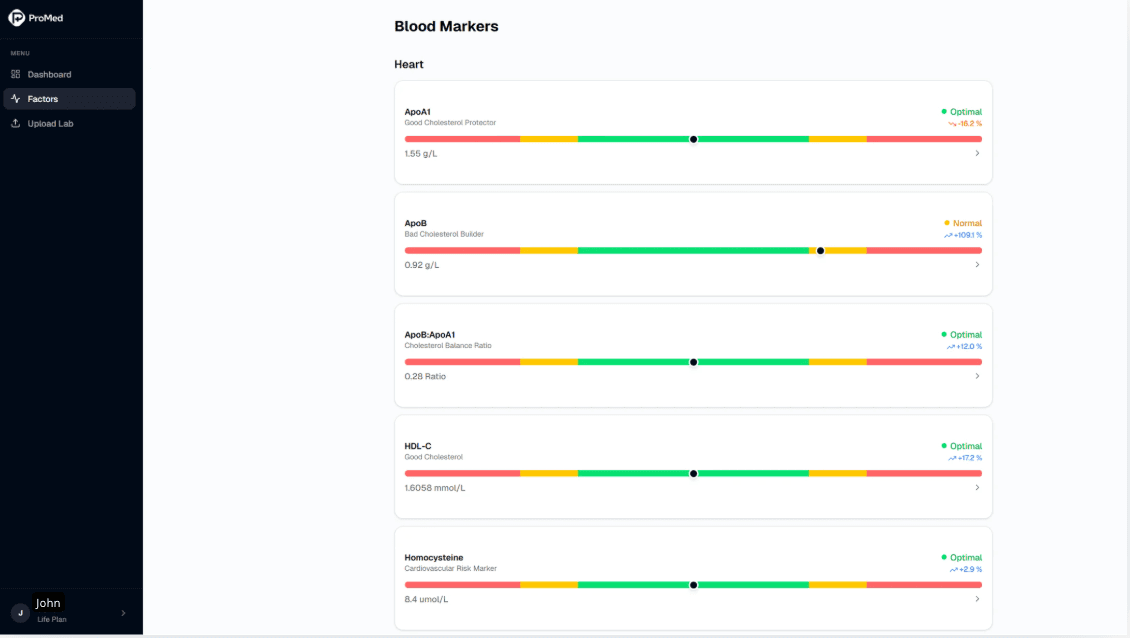
Review your decoded biomarkers
That is it. Your results are live in ProMed. You will see each biomarker explained in plain language: what it means, where you stand relative to optimal ranges, and how your values compare to previous results over time.
What happens after you upload?
ProMed surfaces your key insights automatically, flagging what is trending, what is within optimal range, and what is worth discussing at your next appointment. You get clarity, not just data.
Do not have a ProMed account yet?
Take control and start tracking the biomarkers that actually matter.
Get startedThe information provided in this article is for educational purposes only and does not constitute medical advice, diagnosis, or treatment. ProMed is a health empowerment platform designed to complement, not replace, your relationship with your physician. Always consult a qualified healthcare provider before making decisions about your health based on lab results.